

How to Replace a Dusk to Dawn Light Sensor: Complete DIY Guide
This post contains affiliate links. I may earn a small commission from purchases made through them, at no extra cost to you. As an Amazon Associate, I earn from qualifying purchases.
Outdoor lights with a dusk to dawn sensor make your home safer by automatically turning lights on at night and switching them off during daylight. However, when the photocell sensor fails, your outdoor light may stay on all day, remain dark at night, or stop responding completely.
Replacing a faulty dusk to dawn light sensor is a practical DIY project for many homeowners. With basic tools, proper safety precautions, and a replacement sensor that matches your fixture, you can restore automatic lighting control without replacing the entire light system.
This guide explains how to identify sensor problems, choose the correct replacement, understand wiring, and install a new photocell sensor step by step.
What Is a Dusk to Dawn Light Sensor?
A dusk to dawn light sensor, also called a photocell sensor, is an automatic lighting control device that detects surrounding light levels. It uses a small light-sensitive component to measure brightness and decide when your outdoor light should turn on or off.
During the evening, the sensor detects reduced light and activates the lamp. When daylight returns, it automatically switches the light off.
These sensors are commonly installed in:
- Outdoor wall lights
- Lamp posts
- Security lights
- Landscape lighting
- LED fixtures
- Parking lot and commercial lighting systems
The main purpose of a photocell is to provide automatic operation while reducing unnecessary energy usage.
Signs Your Dusk to Dawn Sensor Needs Replacement
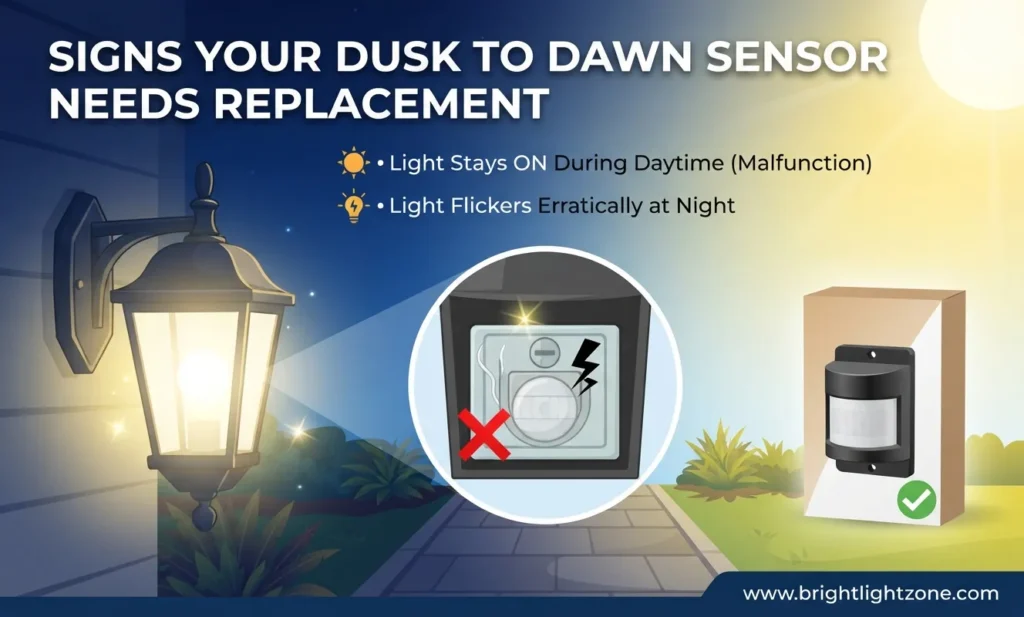
Before replacing the sensor, it is important to confirm that the photocell is actually the problem.
A damaged or failing sensor usually causes issues such as:
Outdoor light stays on during daytime:
A faulty photocell may fail to recognize sunlight and continue sending power to the light fixture.
Light does not turn on at night:
If the sensor cannot detect darkness, it may not activate the bulb.
Flickering or inconsistent operation:
A damaged sensor connection or internal failure can cause unstable lighting behavior.
Delayed response:
A sensor that takes too long to activate or deactivate may be reaching the end of its lifespan.
Before replacement, try covering the sensor with a thick black tape or dark cloth. If the light turns on after several seconds, the photocell is detecting darkness correctly. If nothing happens, the sensor may need replacement.
Tools You Need Before Replacing a Photocell Sensor
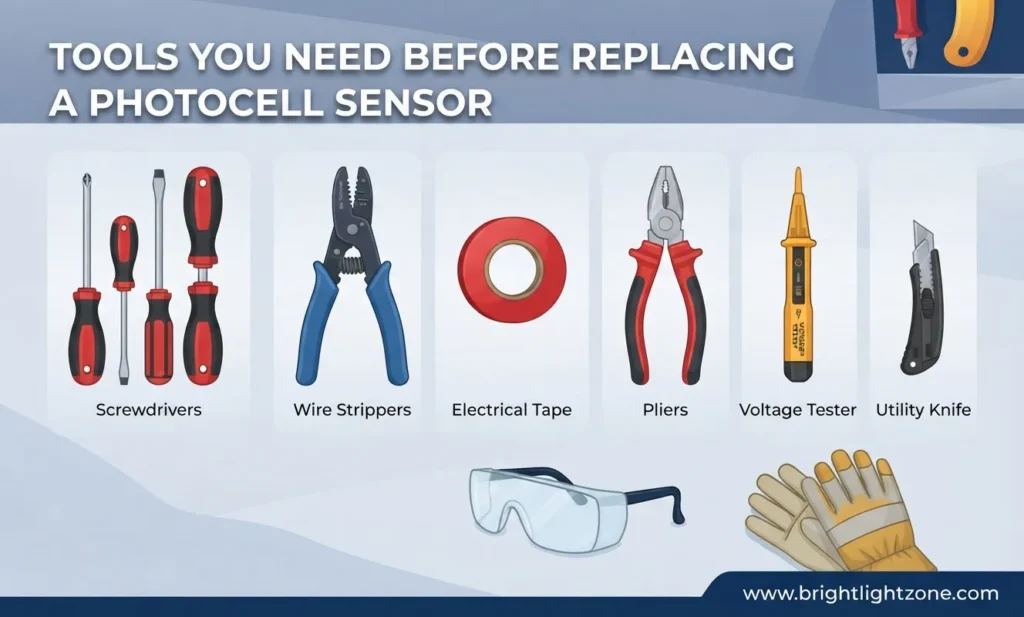
Most dusk to dawn sensor replacements require only a few basic tools:
A screwdriver helps remove the fixture cover and sensor housing.
A voltage tester confirms that electricity is completely disconnected before touching wires.
Wire nuts are used to secure electrical connections.
A replacement photocell sensor must match your light fixture’s voltage and installation style.
Always turn off the circuit breaker before beginning electrical work. Never rely only on the wall switch because power may still be present inside the fixture.
Identify Your Dusk to Dawn Sensor Type
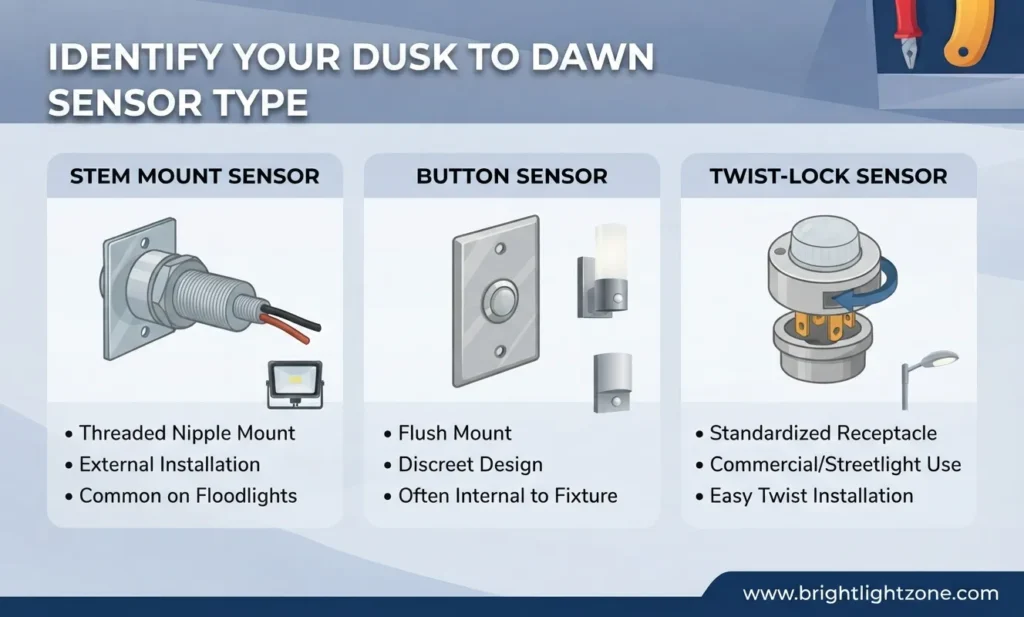
Before buying a replacement, identify which type of photocell your outdoor light uses.
Twist-Lock Photocell Sensor
A twist-lock photocell is one of the easiest types to replace. It usually sits on top of the light fixture and connects through a standard NEMA socket.
Replacement normally requires:
- Turning the sensor counterclockwise
- Removing the old sensor
- Installing the new sensor by twisting it into place
These sensors are commonly used in streetlights, parking lights, and outdoor fixtures.
Wire-In Photocell Sensor
A wire-in sensor is installed inside the fixture or lamp post housing. This type requires disconnecting electrical wires before installing the new unit.
The typical wires include:
Black wire: Line or power connection
White wire: Neutral connection
Red wire: Load connection to the light
Most residential photocells use a 3-wire system with black, white, and red wires.
How to Replace a Dusk to Dawn Light Sensor Step by Step
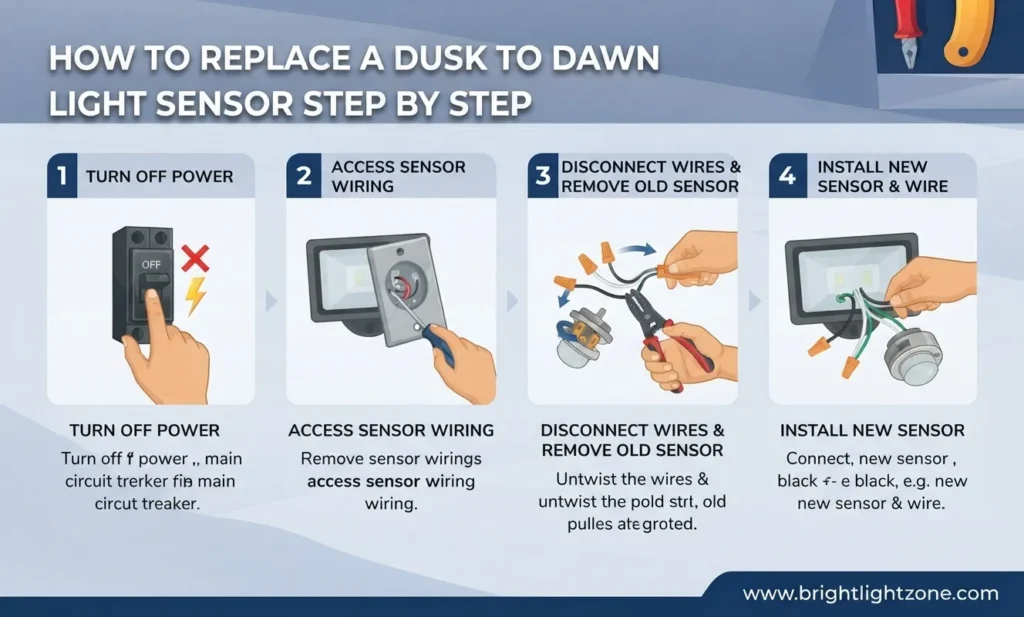
Turn Off Power at the Circuit Breaker
Safety should always come first. Locate the breaker controlling your outdoor light and switch it completely off.
Use a voltage tester to confirm that no electricity is flowing to the fixture.
This simple step prevents electrical shock and protects both you and your lighting system.
Remove the Old Photocell Sensor
The removal process depends on your sensor type.
For a twist-lock sensor, rotate it counterclockwise and pull it upward from the socket.
For a wire-in sensor, open the fixture housing and disconnect the existing wires carefully. Remove the old sensor from its mounting position.
Take a photo of the existing wiring before disconnecting anything. This makes reconnecting the new sensor easier.
Install the New Dusk to Dawn Sensor
Install the replacement sensor in the same position as the old one.
For wire-in models:
Connect the wires correctly:
- Black wire connects to incoming power
- White wire connects to neutral
- Red wire connects to the light fixture load
Secure all connections using wire nuts and ensure no exposed copper wire is visible.
For twist-lock models, simply insert the new sensor into the socket and rotate it until it locks securely.
Check Sensor Compatibility Before Installation
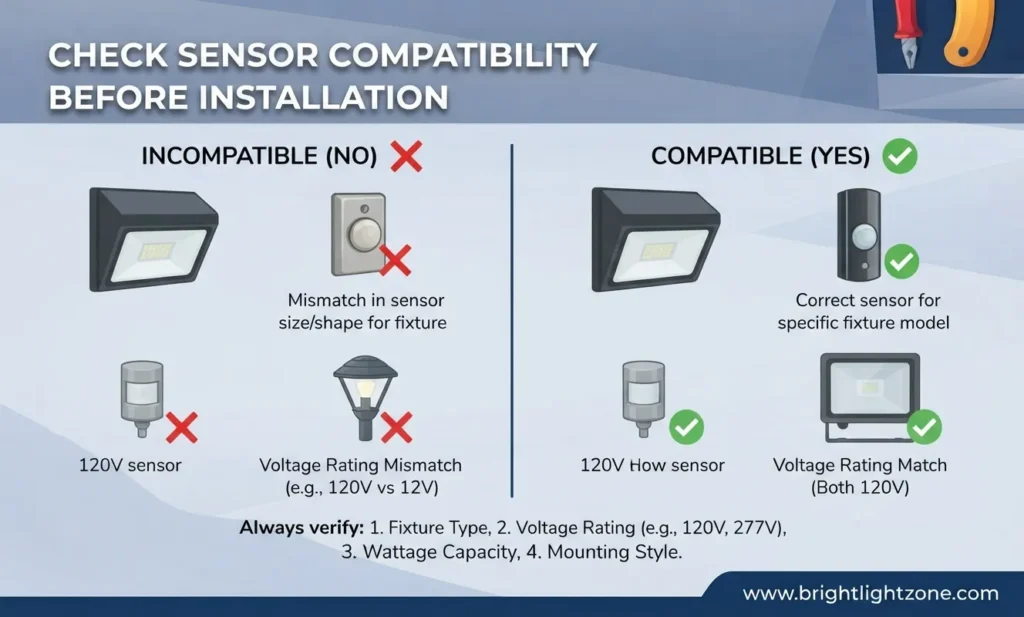
Choosing the wrong photocell can cause performance problems. Always check the electrical specifications before purchasing.
Common voltage options include:
120V for most residential outdoor lights.
277V for many commercial lighting applications.
480V for heavy-duty industrial lighting systems.
Some professional-grade photocells include additional features such as:
- 20kV surge protection
- 10-year warranty
- Adjustable light sensitivity
- UL, CE, CB, and Zhaga Book 18 certifications
Commercial models may also include programmable settings and higher durability compared with basic home sensors.
Adjust the Light Sensitivity and LUX Settings
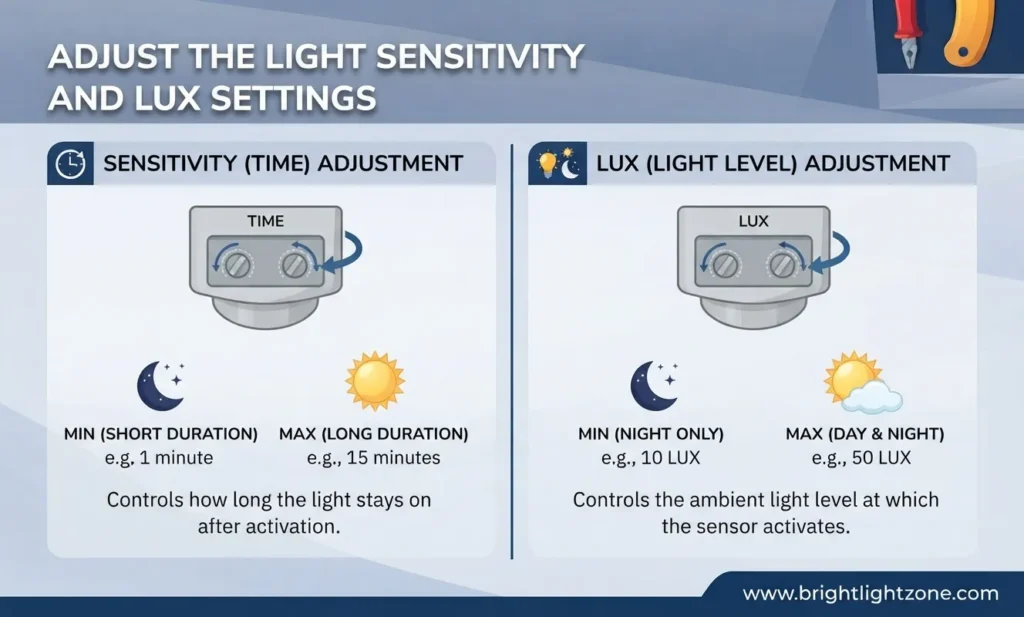
Some advanced dusk to dawn sensors include a LUX adjustment setting.
LUX measures the amount of visible light reaching the sensor. Adjusting this setting changes when your outdoor light activates.
For example:
A higher sensitivity setting allows the light to turn on earlier in the evening.
A lower sensitivity setting delays activation until it becomes darker.
Correct positioning is also important. Avoid installing sensors near:
- Direct artificial light sources
- Covered areas with permanent shade
- Locations blocked by walls or trees
A clean sensor lens also improves accuracy because dust and dirt can affect light detection.
Test Your New Outdoor Light Sensor
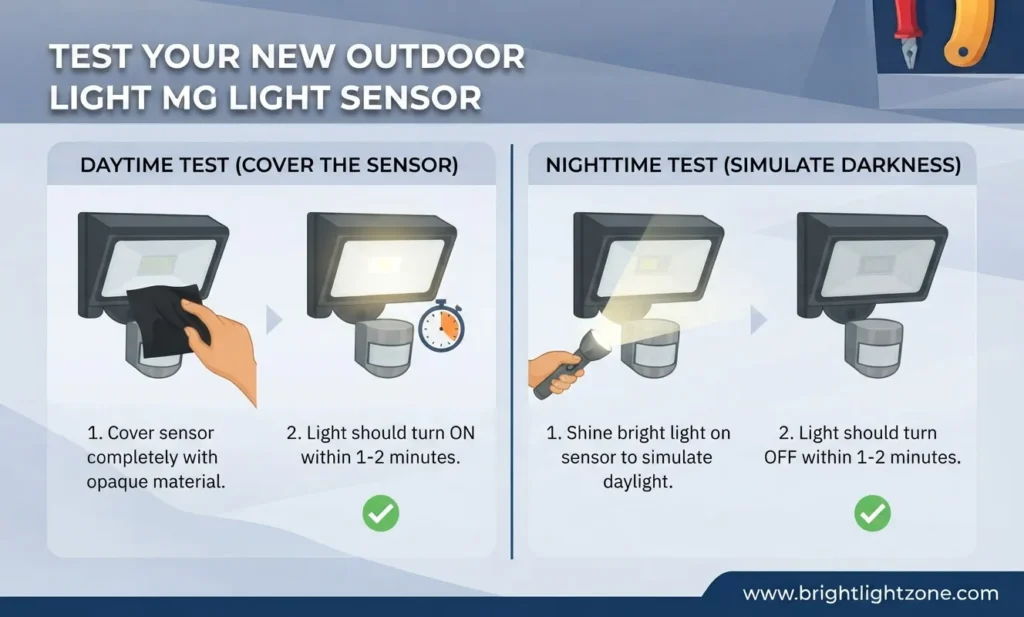
After installation:
Restore power from the breaker.
Cover the sensor completely with a dark object.
Wait several seconds for the light to activate.
Remove the cover and expose the sensor to light.
The fixture should switch off automatically.
If the light does not respond, check the wiring connections, bulb condition, and sensor placement.
Common Mistakes to Avoid During Replacement
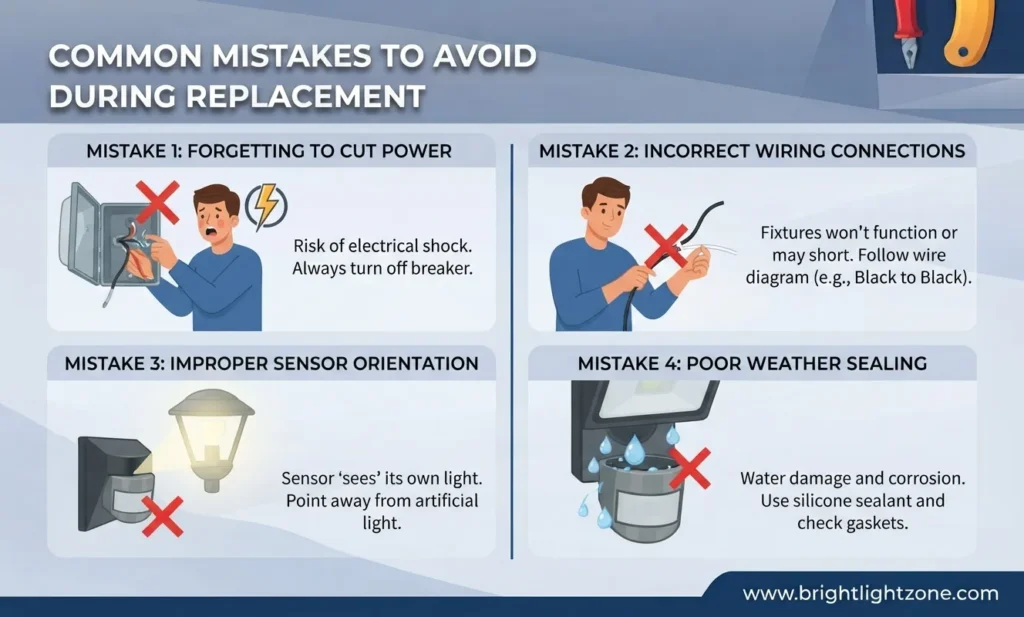
Many installation problems happen because of small mistakes.
Installing a sensor in a shaded area can make it activate too early.
Connecting wires incorrectly can prevent the light from working.
Choosing a sensor with the wrong voltage rating can damage the fixture.
Ignoring the manufacturer’s compatibility requirements may result in poor performance.
Always match the new photocell with your existing lighting system.
How Long Does a Dusk to Dawn Sensor Last?
The lifespan depends on the sensor quality, weather exposure, and usage.
Residential photocells commonly last several years, while heavy-duty commercial models may include warranties of up to 10 years.
Premium sensors are often designed with stronger weather resistance and surge protection, especially for outdoor environments.
Frequently Asked Questions
How many wires does a dusk to dawn sensor have?
Most standard photocell sensors have 3 wires: black, white, and red. The black wire provides power, the white wire connects to neutral, and the red wire sends power to the light fixture.
Can I replace a dusk to dawn sensor myself?
Yes, many homeowners can replace a photocell sensor as a DIY project. However, always turn off the breaker first and verify power is disconnected before handling wiring.
Why does my outdoor light stay on all day?
A faulty photocell, dirty sensor lens, incorrect installation angle, or blocked light detection area can cause an outdoor light to remain on during daylight.
Are all photocell sensors interchangeable?
No. Sensors vary by voltage, wiring style, socket type, and fixture compatibility. Always check specifications before purchasing a replacement.
How do I know if my photocell sensor is bad?
Cover the sensor completely to simulate nighttime. If the light does not activate after a short delay, the photocell may be faulty.
Final Thoughts
Replacing a dusk to dawn light sensor is a simple way to restore automatic outdoor lighting without replacing the entire fixture. By identifying the correct sensor type, following safe wiring practices, and testing the system properly, most homeowners can complete this upgrade successfully.
Whether you have a lamp post, LED security light, or outdoor wall fixture, a properly installed photocell sensor improves convenience, saves energy, and keeps your outdoor spaces illuminated exactly when needed.

Dylan
Dylan is a lighting enthusiast and experienced content creator with 7 years of expertise in blogging about home improvement, lighting solutions, and modern illumination trends. As the lead writer for BrightLightZone, Dylan focuses on simplifying complex lighting topics and helping readers discover practical, energy-efficient, and innovative lighting ideas for their homes and spaces.
With a passion for exploring the latest advancements in LED technology, smart lighting, and DIY lighting solutions, Dylan combines research, creativity, and real-world insights to create helpful guides for homeowners, DIY enthusiasts, and lighting lovers. Through BrightLightZone, Dylan aims to inspire people to transform their environments with smarter, brighter, and more sustainable lighting choices.


